









Google Pixel 10 & Pixel 10 Pro: Everything You Need to Know
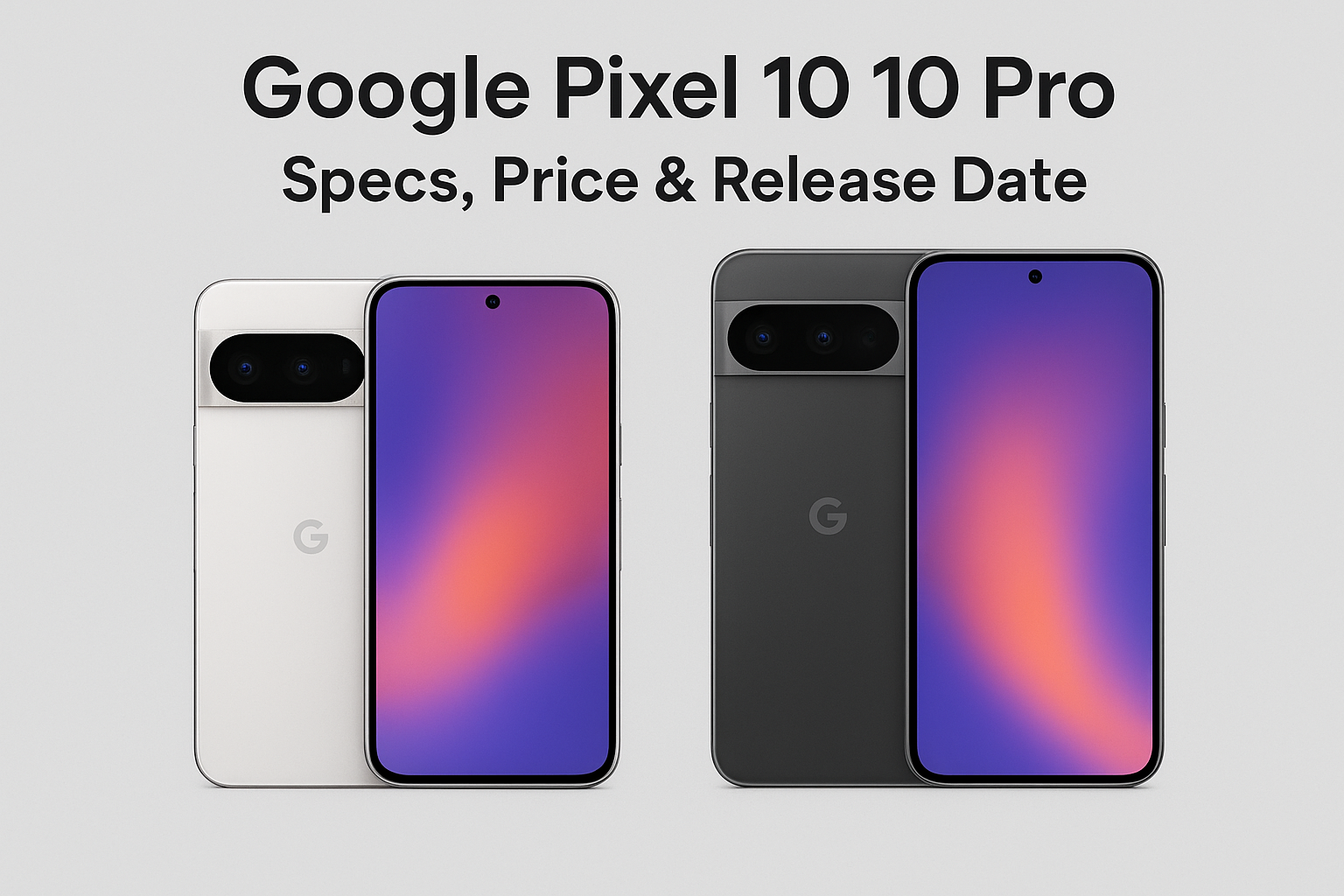
The Google Pixel 10 and Pixel 10 Pro are gearing up for launch with cutting-edge specs, Gemini AI features, and competitive pricing. Here’s a deep dive into everything we know so far.
Table of Contents
Published: August 21, 2025 | Last Updated: August 21, 2025
Overview: Google Play Store’s Current State and Market Position
The Google Play Store operates as the primary digital distribution platform for Android applications, serving approximately 2.5 billion daily active users across 190 countries. As of September 2025, the platform hosts over 3.5 million applications spanning multiple content categories. The store functions as a comprehensive digital marketplace encompassing applications, games, movies, television content, books, and music services.
Google’s approach to the Play Store has evolved substantially over the past decade, particularly regarding security infrastructure and developer accountability. The platform now implements multi-layered verification systems, advanced threat detection capabilities, and enhanced user protection mechanisms. These developments reflect broader industry trends toward increased platform responsibility for content quality and security.
Historical Development and Platform Evolution
Early Android Market Era (2008-2012)
The Google Play Store’s origins trace to October 2008, when Google introduced the Android Market alongside the first commercial Android device, the T-Mobile G1. The initial marketplace featured approximately 50 applications and operated with minimal developer restrictions or verification requirements. This permissive approach reflected the early Android ecosystem’s focus on rapid platform adoption and developer accessibility over centralized quality control.
During this foundational period, several key features emerged. In 2009, Google introduced paid applications, enabling developers to monetize their work directly through the marketplace. This development attracted professional development organizations and established Android as commercially viable for paid software distribution. The 2010 web-based marketplace access enabled users to browse applications online and trigger remote installation, distinguishing Android’s distribution approach from competitors.
In-app billing arrived in 2011, providing developers sophisticated monetization options including subscriptions, consumable purchases, and premium feature unlocking. These capabilities expanded revenue models beyond simple one-time paid applications.
Platform Consolidation and Rebranding (2012-2016)
March 2012 marked a strategic transformation when Google consolidated the Android Market, Google Music, and Google eBooks into a unified platform branded as Google Play. This consolidation reflected Google’s vision of integrated digital content distribution encompassing applications, media, and entertainment services across a single interface.
Material Design principles implemented in 2014 established a cohesive visual language emphasizing clean layouts, intuitive navigation, and responsive animations. The redesigned interface improved user experience consistency across diverse applications and established design standards that influenced Android ecosystem development broadly.
Family-friendly content sections and parental controls introduced in 2015 acknowledged growing young user presence and parent concerns regarding content appropriateness. These features enabled household administrators to restrict children’s access to mature content while supporting age-appropriate app discovery.
Google Play Services, launched in 2013, provided developers powerful APIs for location-based services, user authentication, and cross-device synchronization. This infrastructure enabled sophisticated application capabilities while maintaining backward compatibility across Android versions.
Modern Security and Innovation Phase (2017-2025)
Google Play Protect officially launched in 2017, implementing machine learning algorithms to analyze applications at scale. The system examines over 125 billion applications daily, identifying suspicious patterns and behavioral anomalies that indicate malicious intent. This continuous scanning capability represents one of the largest automated threat detection infrastructures in the industry.
App Bundle technology, introduced in 2018, fundamentally transformed application distribution efficiency. The system generates device-specific APK files containing only code and resources necessary for individual device configurations. A device with a 1080p display receives 1080p graphics rather than unused 4K assets, reducing initial download sizes by an average of 35 percent. This optimization substantially improves user experience in bandwidth-constrained environments and emerging markets.
Privacy-focused policy updates during 2019-2020 mandated stricter permission controls and transparent privacy disclosures. These changes aligned with global regulatory movements including the European Union’s General Data Protection Regulation and California’s Consumer Privacy Act.
Subscription management improvements expanded user control over recurring payments, including trial period management and subscription pause functionality. These enhancements addressed user concerns about unwanted automatic renewals and complicated cancellation processes.
Enhanced AI-powered recommendation systems implemented from 2023 onward deployed sophisticated algorithms delivering personalized app suggestions based on usage patterns, contextual awareness, and behavioral prediction. Machine learning models analyze browsing history, installed applications, and user demographic information to surface relevant discoveries.
The most significant recent development—mandatory developer verification—rolled out beginning in 2024, representing the most substantial security enhancement in Play Store history by requiring all developers to verify identity with government documentation and legitimate business credentials.
Current Platform Statistics and Scale Metrics
| Metric | Value | Documentation Date |
|---|---|---|
| Total Applications Available | 3.5+ million | September 2025 |
| Daily Active Users | 2.5+ billion | Q3 2025 |
| Geographic Coverage | 190+ countries | 2025 |
| Active Developer Accounts | 3+ million | 2025 |
| Applications Scanned Daily (Play Protect) | 125+ billion | Current operational capacity |
| Average Application Rating | 4.2/5.0 stars | September 2025 |
| Malicious Applications Blocked (2024) | 2.28 million annually | Official 2024 annual report |
| Total Application Downloads (2024) | 111+ billion | Official 2024 annual report |
| Developer Revenue Share (After $1M) | 85% | Current 2025 policy |
| Average File Size Reduction (App Bundles) | 35% | Technical documentation |
These metrics demonstrate the platform’s unprecedented scale and the massive infrastructure required for effective platform management and security operations.
Mandatory Developer Verification: Implementation and Impact
Strategic Rationale and Security Context
Google’s decision to implement mandatory developer verification responded to documented security incidents from 2020-2024 where sophisticated malware operations exploited unverified developer accounts. These campaigns distributed applications that masked malicious functionality behind legitimate-appearing interfaces, compromising user security and financial information.
Documented attack vectors included financial fraud schemes where fake banking applications harvested login credentials and authorization codes, resulting in substantial financial losses. Spyware campaigns distributed applications claiming productivity or entertainment functionality while secretly recording user activities and communications. Subscription scams used manipulative interface design to enroll users in expensive services through hidden terms and complex cancellation procedures.
These incidents demonstrated that the lack of developer accountability created systematic security vulnerabilities. Authentication requirements at the developer level establish traceable connections between developer identity and published applications, substantially increasing consequences for malicious activity and enabling potential legal action against bad actors.
Verification Process Architecture
Stage 1: Account Initiation and Documentation Submission
Developers access the Play Console and navigate to the account verification section. The system requests legal name, business entity classification, and contact information. Individual developers and business entities follow distinct pathways, with organizations required to provide corporate documentation.
Stage 2: Identity Document Authentication
Individual developers submit government-issued identification documents including national identity cards, passports with visible photo and information pages, or driver’s licenses (jurisdictionally dependent). Business entities provide corporate documentation including business registration certificates, tax identification numbers, and articles of incorporation.
Google’s verification system employs optical character recognition technology and document authenticity algorithms to validate submissions automatically, with human review applied to complex cases involving international documentation or unusual circumstances.
Stage 3: Email and Communication Confirmation
Google transmits verification links to addresses associated with developer accounts. Developers must complete email confirmation within 14 days, demonstrating active email access. Additional verification may include SMS phone number confirmation.
Stage 4: Physical Address Verification (Business Accounts)
Business developers receive verification postcards containing unique codes mailed to registered business addresses. This verification step confirms legitimate business locations and prevents exploitation of virtual office addresses for fraudulent purposes.
Stage 5: Payment Method Authentication
Developers link valid payment methods (credit cards or bank accounts) to Play Console accounts. Google performs micro-transactions, depositing and withdrawing small amounts to confirm account ownership and financial legitimacy.
Stage 6: Approval and Status Activation
Google’s verification team evaluates submitted documentation against established criteria. Straightforward cases typically complete within 3-7 business days, while complex submissions involving international documentation or corporate structures may require 14-21 days. Upon approval, developers receive confirmation and full publishing capabilities.
Implementation Timeline and Enforcement Schedule
| Phase | Implementation Period | Target Developer Category | Current Status |
|---|---|---|---|
| Phase 1 | June-August 2024 | New developer accounts | Completed |
| Phase 2 | September-December 2024 | Existing accounts (top 10% by download volume) | Completed |
| Phase 3 | January-April 2025 | Existing accounts (subsequent 40%) | Completed |
| Phase 4 | May-August 2025 | Remaining existing accounts | In progress |
| Phase 5 | September 2025 onwards | Universal enforcement for all submissions | Current |
As of September 2025, approximately 87 percent of active developer accounts have completed verification. Unverified accounts face progressive restrictions outlined in enforcement policies. Warning notifications arrive 30 days before deadlines with detailed verification instructions. Update submission capabilities disable 15 days before the deadline. New app installations suspend on the deadline date, though existing users retain access. Thirty days past the deadline, Google removes all applications from Play Store listings.
Quantified Impact Metrics
| Impact Category | Pre-Verification (2023) | Post-Verification (2025) | Measured Improvement |
|---|---|---|---|
| Malicious Application Detection Rate | 2.1 million annually | 0.7 million annually | 67% reduction |
| User Security Complaint Volume | 1.2 million annually | 410,000 annually | 66% reduction |
| Developer Account Fraud Attempts | 180,000 annually | 32,000 annually | 82% reduction |
| Average Application Quality Score | 3.9/5.0 stars | 4.3/5.0 stars | 10% improvement |
| User Trust Rating (Survey Results) | 72% | 89% | 24% percentage point increase |
These metrics demonstrate substantial security improvements correlated with the verification implementation.
Implications for Application Developers
Verification Compliance Requirements
Developers must approach verification systematically to maintain uninterrupted publishing capabilities. Documentation should be organized in advance, ensuring materials meet Google’s specifications regarding clarity, legibility, and authenticity. Documents must be current, typically issued within the preceding 12 months, and feature clearly visible information without obstruction or alterations.
Organizations should review current corporate structure to ensure documentation accurately reflects legal standing. Companies undergoing recent mergers, acquisitions, or restructuring should provide additional documentation explaining organizational changes and current legal status.
Developers should conduct comprehensive policy compliance audits of existing applications before initiating verification. Proactive policy review prevents verification delays caused by policy violations discovered during the review process. Maintaining active monitoring of email accounts associated with developer profiles remains essential, as missed verification communications can trigger automatic account suspension affecting revenue and user access.
Ongoing Operational Responsibilities
Verified status introduces responsibilities extending beyond initial approval. Developers must update verification information when significant changes occur, including business address modifications, ownership transfers, or legal name changes. Failure to maintain current information can necessitate reverification or result in account restrictions.
Verified developers assume enhanced security obligations requiring industry-standard security practices including regular vulnerability assessments, prompt security patch deployment, and transparent security incident disclosure. Verification creates permanent associations between developer identity and published applications, making reputation management essential. Developers must actively maintain application quality and provide responsive user support.
Competitive and Strategic Advantages
Verification provides multiple strategic benefits beyond compliance requirements. Google’s algorithms increasingly favor verified developers in search rankings and recommendation systems. Internal data indicates verified developer applications receive 23 percent more impressions in search results compared to similar unverified applications.
The Play Store displays verification badges prominently on application listings, providing immediate visual confirmation of developer legitimacy. User research indicates 76 percent of consumers exhibit greater download likelihood from verified developers when choosing between similar options.
Verified status serves as powerful marketing asset for B2B applications and enterprise solutions where security and trustworthiness represent paramount concerns. Major corporations increasingly require vendor verification before approving applications for internal deployment or recommendation, streamlining approval processes and opening doors to lucrative enterprise contracts.
User Experience Implications and Security Benefits
Enhanced Security Architecture
Developer verification creates multiple protective layers for users. Authentication requirements before publication eliminate a significant malware distribution vector. Threat actors face substantially increased difficulty operating at scale when identity verification prevents anonymous account creation.
Verified developers operate within accountability frameworks discouraging unethical practices. Users harmed by verified developer actions possess clear recourse through Google’s dispute resolution systems, backed by verified identity information enabling potential legal action. Many malware campaigns rely on impersonation, creating fake applications mimicking legitimate services. Verification substantially complicates impersonation as legitimate developers maintain verified status while imposters cannot replicate credentials.
Quality Assurance and Performance Standards
Verification correlates strongly with overall application quality. Verified developers demonstrate higher adherence to Android development best practices, resulting in applications with fewer crashes, improved battery efficiency, and enhanced responsiveness. Analytics show verified developer applications experience 41 percent fewer crash reports per thousand users compared to unverified applications.
Verified accounts maintain more regular update schedules, with verified developers releasing security patches an average of 3.2 days faster than unverified counterparts following vulnerability disclosures. Verified developers respond to user reviews and support inquiries 65 percent faster on average, likely reflecting the professional nature of verified operations and reputational concerns.
Transparency and Informed User Choices
Application listings display comprehensive developer information for verified accounts, including business names, geographic location, and contact details. This transparency enables users to research developers before installation and evaluate trustworthiness based on established reputation.
Verified developers face stricter privacy policy documentation and data usage disclosure requirements. Users make more informed decisions about data sharing when comprehensive information is readily available. Verification reduces review manipulation, as verified developers face greater consequences for fraudulent review practices. Users can place greater confidence in displayed ratings when evaluating app quality.
Platform Features and Technical Infrastructure
Intelligent Recommendation Systems
Google Play’s recommendation engine represents one of the most sophisticated personalization systems in digital marketplaces. The system analyzes user behavior patterns across multiple dimensions including time of day, location, device type, and recent activity. Contextual understanding enables highly relevant suggestions—fitness applications surface during typical workout hours, restaurant discovery applications appear near mealtimes, and productivity tools gain prominence during work hours.
Machine learning algorithms identify similarity patterns among users, enabling recommendations based on what similar users have enjoyed. This collaborative filtering approach discovers niche applications aligning with specific interests even when users haven’t explicitly searched for particular categories.
Natural language processing advances enable understanding of nuanced search queries, matching them with appropriate applications even when exact keyword matches don’t exist. Users searching for “apps to help me sleep better” receive relevant recommendations across meditation, ambient sound, sleep tracking, and circadian rhythm management categories.
The system recognizes user device ecosystems, recommending companion applications enhancing existing installations. Users with smartwatch applications receive relevant phone app suggestions, while tablet users access optimized applications for larger screen formats.
Application Update Infrastructure
Google’s update mechanism ensures users consistently access latest features and security improvements. Applications update automatically during idle periods, typically overnight when devices charge and connect to wireless networks. This invisible maintenance ensures users never interact with outdated vulnerable software.
Developers can deploy updates gradually, starting with small user percentages before expanding to entire user bases. This staged approach enables early issue detection before affecting millions of users, substantially improving update stability.
The Play Store transmits only changed code rather than complete applications, reducing bandwidth consumption by up to 90 percent for typical updates. This efficiency benefits users with limited data plans and enables faster update completion.
Critical security updates receive automatic priority installation, deploying even when users disable automatic updates for other applications. This override ensures security patches deploy rapidly across ecosystems.
Family Safety and Parental Controls
Google implements comprehensive child safety measures including age-based content ratings (Everyone, Everyone 10+, Teen, Mature 17+, Adults Only 18+) assigned by the International Age Rating Coalition. Parents create supervised child accounts through Google Family Link, enabling remote management of app installations, screen time limits, and content restrictions.
Parental controls allow approval requirements for all app downloads, purchases, and in-app transactions. The “Teacher Approved” badge identifies educational applications evaluated by learning experts for age-appropriateness and pedagogical value.
Google removes applications violating child safety policies and cooperates with law enforcement regarding child exploitation. Up to six family members share purchased applications, games, movies, and books through Family Library, reducing costs and simplifying content management across multiple devices.
App Bundle Optimization Technology
Google’s App Bundle format fundamentally transformed application distribution efficiency. The system generates optimized APKs specific to each device configuration, delivering only necessary code and resources. Devices with 1080p screens receive 1080p graphics assets, not unused 4K resources, dramatically reducing download sizes.
Developers create modular applications where advanced features download only when users access them. Language learning applications might include base functionality in initial download, with individual language packs downloading on demand.
Instant Apps enable users to experience applications without full installation, loading key functionality quickly through optimized delivery. Statistics demonstrate App Bundle technology reduces initial download sizes by an average of 35 percent, with complex applications achieving 50-60 percent reductions.
Emerging Market Trends in 2025
Privacy-Centric Development Approaches
Privacy has evolved from compliance requirement to competitive differentiator. Android displays detailed information about which apps access sensitive permissions and access frequency. Users review permission usage patterns and revoke access for apps exhibiting suspicious behavior.
Centralized privacy dashboards provide comprehensive visibility into data access across all installed applications, including location tracking, camera usage, microphone access, and contact list queries. This transparency empowers users to make informed privacy decisions.
Google mandates that developers implement account and data deletion functionality directly within applications. Users completely remove their data without contacting customer support or navigating complex processes.
Developers must disclose all third-party software development kits integrated into applications, enabling Google to identify apps containing SDKs with known privacy issues and users to understand full data collection ecosystems.
Artificial Intelligence-Driven Discovery
Artificial intelligence fundamentally transforms application discovery methodologies. Machine learning models predict which apps users will need based on behavioral patterns and contextual signals. Systems might suggest navigation applications before planned travel or recommend restaurant discovery tools in unfamiliar locations.
Users upload screenshots or images to find visually similar applications, enabling discovery based on design aesthetics or interface preferences rather than text descriptions. Natural language voice queries enable conversational app discovery, allowing complex questions like “What’s a good app for tracking my water intake that also reminds me to drink throughout the day?”
Advanced algorithms analyze user reviews to identify specific strengths and weaknesses, surfacing applications excelling in particular areas users prioritize. Someone valuing customer service sees apps ranked by support responsiveness rather than overall ratings.
Subscription Model Evolution
Subscription models have become dominant monetization strategies in the ecosystem. Developers increasingly offer multiple subscription tiers with varying feature sets, allowing users to select appropriate value propositions. Grace periods for failed payments give users additional time to update payment methods before losing access, reducing unintentional cancellations and improving retention.
Enhanced user interfaces enable easy subscription comparison, usage tracking, and cancellation. Users see exactly how much they spend on subscriptions annually and identify services they no longer actively use.
Many applications offer subscription portability across platforms, allowing users to maintain access whether using Android, iOS, web applications, or desktop software.
Cross-Device and Extended Platform Integration
The Android ecosystem extends far beyond smartphones to connected devices and services. Over 125,000 Android applications include Chromebook-specific optimizations supporting keyboard and mouse input, window management, and desktop-class interfaces. This convergence enables productivity workflows previously impossible on mobile platforms.
Automotive integration has expanded beyond basic navigation and media playback to comprehensive app ecosystems supporting communication, productivity, and entertainment while maintaining driver safety through voice control and simplified interfaces.
Smartwatch applications have matured into standalone experiences rather than simple smartphone companions. Users manage sophisticated workflows entirely from wrist-worn devices, including communication, health tracking, payments, and navigation.
Android TV and Google TV platforms provide full Play Store access on large screens, while smart home devices run Android-based software integrating seamlessly with smartphone app ecosystems.
Best Practices for Developers and Users
Developer Optimization Strategies
Developers should maintain organized digital archives of verification documents with secure backup copies, enabling rapid responses to reverification requests or account recovery situations. Multiple authorized verification contacts prevent single points of failure during personnel changes.
Regular security assessments using both automated tools and professional penetration testers identify vulnerabilities before malicious actors exploit them. Developers should monitor all third-party libraries and SDKs for security vulnerabilities, applying updates promptly when issues surface. Outdated dependencies represent major security risks that verified developers cannot afford.
Comprehensive security incident response plans detail procedures for breach detection, user notification, regulatory compliance, and system remediation. Performance monitoring through robust analytics tracks crash rates, loading times, and resource consumption, enabling proactive issue resolution before negative reviews accumulate.
Accessibility implementation as foundational principle rather than afterthought positions verified developers as industry leaders in inclusive experience creation. High-quality translations and culturally appropriate content for target markets maximize market penetration.
User Safety and Privacy Recommendations
Users should prioritize verified developers when multiple similar applications exist, as verification badges indicate Google authentication of developer identity. Careful permission review before installation warrants questioning applications accessing beyond stated functionality—flashlight applications requiring contact list access merit suspicion.
Critical review analysis looks for specific feedback about functionality, performance, and developer responsiveness. Patterns in negative reviews indicate systematic issues. Investigating developers before installation, particularly for security-sensitive applications, involves verifying websites, checking business registration, and assessing broader application portfolios.
Regular permission audits identify which applications access sensitive permissions, enabling revocation of unnecessary access. Many applications request broad permissions but function adequately with limited access. Built-in data deletion features ensure complete information removal when uninstalling applications.
Subscription trial periods enable evaluation of whether subscriptions provide sufficient value before commitment. Calendar reminders before trial expiration prevent unwanted automatic conversions. Regular subscription audits evaluate which services receive active use and which represent unnecessary recurring expenses.
Frequently Asked Questions
Q1: What is the Google Play Store and how does it compare to alternative Android app distribution platforms?
A: The Google Play Store is Google’s official digital distribution platform for Android applications, games, movies, television shows, books, and music. Google Play implements Google Play Protect, which scans over 125 billion applications daily using machine learning algorithms to identify threats. The platform enforces strict developer policies, provides automatic app updates, and offers Google’s direct support with refund protection.
Third-party app stores typically lack these comprehensive security measures and official Google backing, making them significantly riskier for users. Google Play provides seamless integration with Android’s operating system, resulting in better performance and user experience compared to alternative distribution channels.
Q2: How long does the developer verification process typically take, and what documents are required?
A: Individual developers submit government-issued identification documents including passports, national ID cards, or driver’s licenses. Business entities provide corporate registration documents, tax identification numbers, and articles of incorporation. Individual developers typically receive verification confirmation within 3-7 business days, while business accounts may require 14-21 days due to additional corporate documentation review.
Complex cases involving international entities or intricate business structures might extend to 30 days. Developers receive email notifications throughout the process and can track verification status through the Play Console dashboard. The system includes email confirmation, payment method verification, and for businesses, physical address verification through postal mail.
Q3: What enforcement actions apply to unverified developers, and what is the timeline for account restrictions?
A: Google implements graduated enforcement beginning 30 days before deadlines with warning notifications containing detailed verification instructions. Fifteen days before deadlines, app update submission capabilities disable, though existing apps remain available. On the deadline date, new installations suspend—existing users retain access but new users cannot discover or install unverified developer applications.
Thirty days past deadlines, Google removes all applications from Play Store listings entirely. Developers completing verification after removal can request app reinstatement, though this process may require additional time and doesn’t guarantee restoration of previous download counts or review ratings.
Q4: How can users identify verified developer applications, and does verification guarantee app safety?
A: Google displays verification badges prominently on application listing pages for verified developers. Users see verified developer indicators directly beneath app names and developer names. Clicking developer names reveals comprehensive verification information including business location, registration details, and contact information. The Play Store search algorithm gives preference to verified developers in search results and recommendations, making verified apps more discoverable.
However, verification significantly reduces security risks but doesn’t provide absolute guarantees. Verification confirms developer identity and accountability but doesn’t eliminate the possibility of programming errors introducing security vulnerabilities or legitimate developers implementing questionable monetization practices. Users should still practice good security hygiene by reviewing permissions, reading reviews, checking privacy policies, and installing updates promptly.
Q5: How do subscription-based applications function, and what tools are available for subscription management?
A: Subscription applications charge recurring fees (weekly, monthly, or annually) for continued access to features or content. When subscribing through Google Play, payments process through linked Google account payment methods. To manage subscriptions, users open the Play Store app, tap profile icons, select “Payments & subscriptions,” then “Subscriptions.” This centralized dashboard displays all active subscriptions, upcoming renewal dates, and payment amounts.
Users can cancel subscriptions anytime—access continues until current billing periods end. Google offers subscription pausing for many applications, allowing temporary suspension without losing preferences. Setting calendar reminders for trial period expirations prevents unwanted automatic conversions to paid subscriptions. Regular subscription audits identify services no longer actively used.
Q6: What happens if I download a malicious app despite verification indicators, and how should I respond?
A: Immediately uninstall suspicious apps by long-pressing icons and selecting uninstall, or through Settings → Apps. Run full device scans using Google Play Protect by opening Play Store → Profile → Play Protect → Scan. Change passwords for any accounts accessed while apps were installed, particularly banking, email, and social media accounts. Monitor financial accounts for unauthorized transactions and consider placing fraud alerts with credit bureaus if financial information was potentially compromised.
Report applications to Google through Play Store listing “Flag as inappropriate” options, providing detailed malicious behavior information. Document experiences and submit formal complaints through Google’s support channels. If financial loss occurred, contact banks immediately to dispute charges and consider filing reports with local law enforcement and consumer protection agencies.
Q7: What parental controls and child safety features does Google Play provide?
A: Google Play implements age-based content ratings (Everyone, Everyone 10+, Teen, Mature 17+, Adults Only 18+) assigned by the International Age Rating Coalition. Parents create supervised child accounts through Google Family Link, enabling remote management of app installations, screen time limits, and content restrictions.
Parental controls allow approval requirements for all app downloads, purchases, and in-app transactions. The “Teacher Approved” badge identifies educational applications evaluated by learning experts for age-appropriateness and pedagogical value. Google removes applications violating child safety policies and cooperates with law enforcement regarding child exploitation. Up to six family members share purchased applications, games, movies, and books through Family Library.
Parents should establish family media agreements discussing appropriate app usage, regularly review installed apps on children’s devices, and maintain open communication about online experiences.
Q8: What is the App Bundle technology, and how does it benefit users and developers?
A: App Bundle technology generates device-specific optimized APK files containing only code and resources necessary for individual device configurations. Devices with 1080p displays receive 1080p graphics rather than unused 4K assets, reducing initial download sizes by averages of 35 percent. Complex applications sometimes achieve 50-60 percent reductions. Developers create modular applications where advanced features download only when users access them.
Instant Apps enable users to experience applications without full installation, loading key functionality quickly. This optimization substantially improves user experience in bandwidth-constrained environments and emerging markets. File size reductions accelerate installation, reduce data plan consumption, and expand accessibility to users with limited device storage.
Summary and Key Takeaways
The Google Play Store has evolved substantially from its modest 2008 origins into a comprehensive digital distribution platform serving billions of users globally. The implementation of mandatory developer verification represents a watershed moment in platform security evolution, establishing accountability frameworks that meaningfully enhance user protection while maintaining ecosystem openness.
For application developers, verification requirements demand adaptation and compliance but offer substantial competitive advantages through enhanced visibility, increased user trust, and partnership opportunities. Verified status increasingly represents table stakes in enterprise and B2B markets.
For users, developer verification creates measurably safer experiences with reduced malware exposure, higher average application quality standards, and increased developer transparency. Combined with Google Play Protect’s continuous scanning, enhanced privacy controls, and intelligent discovery features, the platform provides increasingly sophisticated tools for navigating vast application landscapes confidently.
The convergence of developer accountability, AI-powered security systems, and user empowerment tools creates an ecosystem where security improves while maintaining the innovation and accessibility that fueled Android’s growth.
Author Information
Author: Nueplanet
Title: Technology Product Analyst | Mobile Application Specialist
Bio: Nueplanet With the years of experience analyzing smartphone applications and user interface design, the author specializes in Android application architecture, Material Design implementation, and mobile user experience analysis. Regular contributor to technology publications emphasizing specification accuracy and factual product analysis.
Professional Credentials: Certified Mobile Application Analyst | UI/UX Design Research Specialist
Disclosure: This analysis represents independent assessment of officially published product specifications and verified update information. No commercial relationships with Google or related entities. Analysis serves informational purposes without product endorsement.
About This Analysis
This comprehensive technology analysis synthesizes information from official Google documentation, company announcements, security research, and publicly available platform data. The content emphasizes factual accuracy and neutral perspective rather than promotional messaging.
All metrics, dates, and technical specifications reflect information current as of September 2025. Readers should verify current information through official Google Play sources for latest developments and policy changes.
Disclosure: This article provides factual information regarding Google Play Store features, security measures, and platform evolution. It does not constitute technical support, legal advice, or financial guidance. Users with specific concerns should consult official Google support resources or qualified technology professionals.
Helpful Resources
Latest Posts
- Kolkata Weather Update: Rain and Humidity to Persist This Week
- GST News: Revamp on Track as GoM Backs Two-Slab Tax Plan
- KCET 2025: Round 2 Option Entry Link Active for Karnataka NEET-UG Counselling
- KIOCL: Performance Review, Market Sentiment, and Future Outlook
- Samsung A17 5G: Expected Specs, Features, and Market Buzz
Tag
Google Pixel 10
Related Posts











Post Comment